
Built by a coach, for club and school programmes.
The development platform for athlete-centred clubs
IDPlans joins up the things most clubs keep in separate spreadsheets: what you planned, what actually happened, how the athlete felt, and what they should work on next.
Every screen below shows a fictional club. No real athlete's data appears on this page.
The plan every athlete actually gets
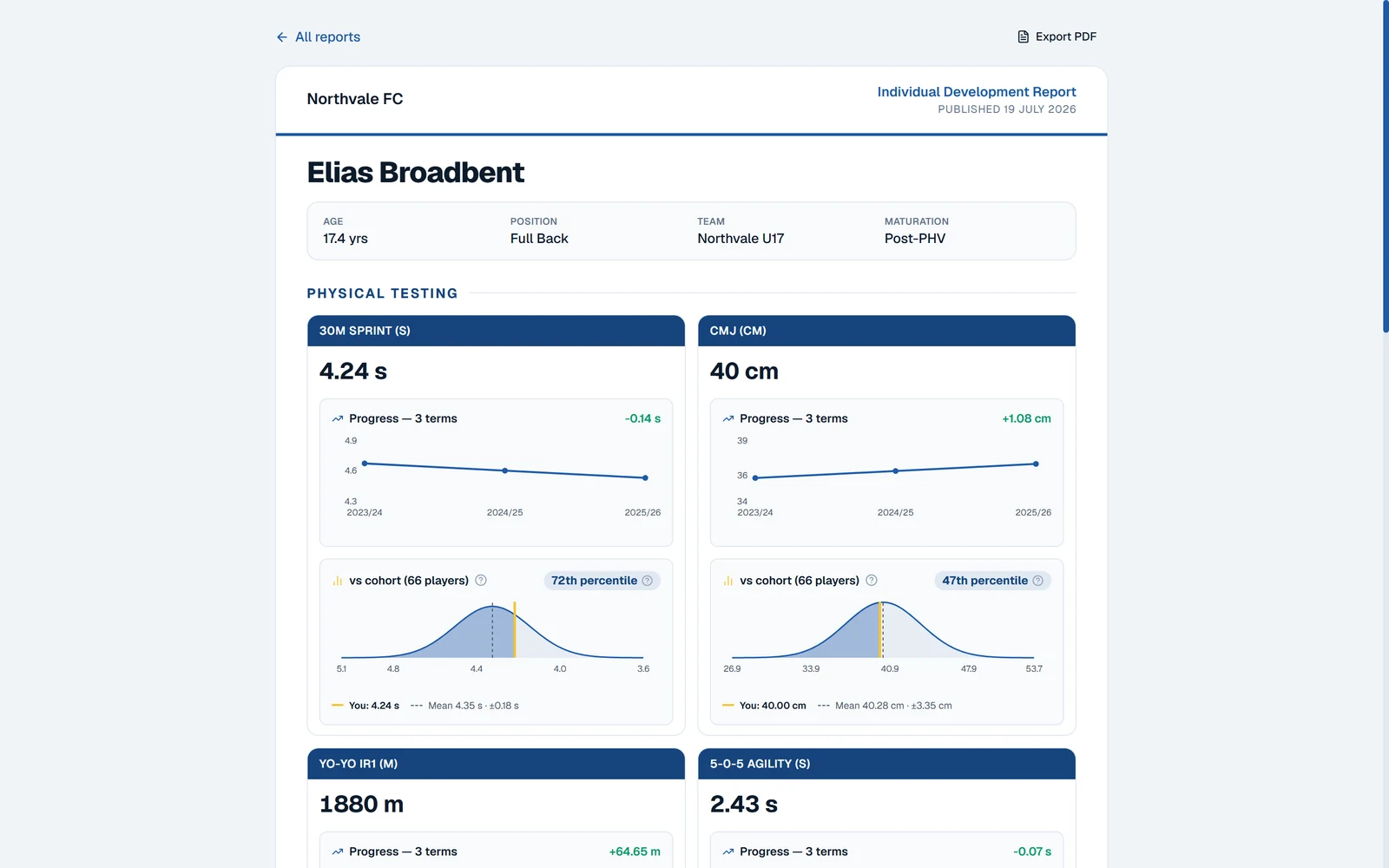
Not a page of test scores. A development plan the athlete can read: where they are, what they're good at, and the two or three things to work on next.
- Test results pull in automatically, with progress across terms and a benchmark against their squad or age group
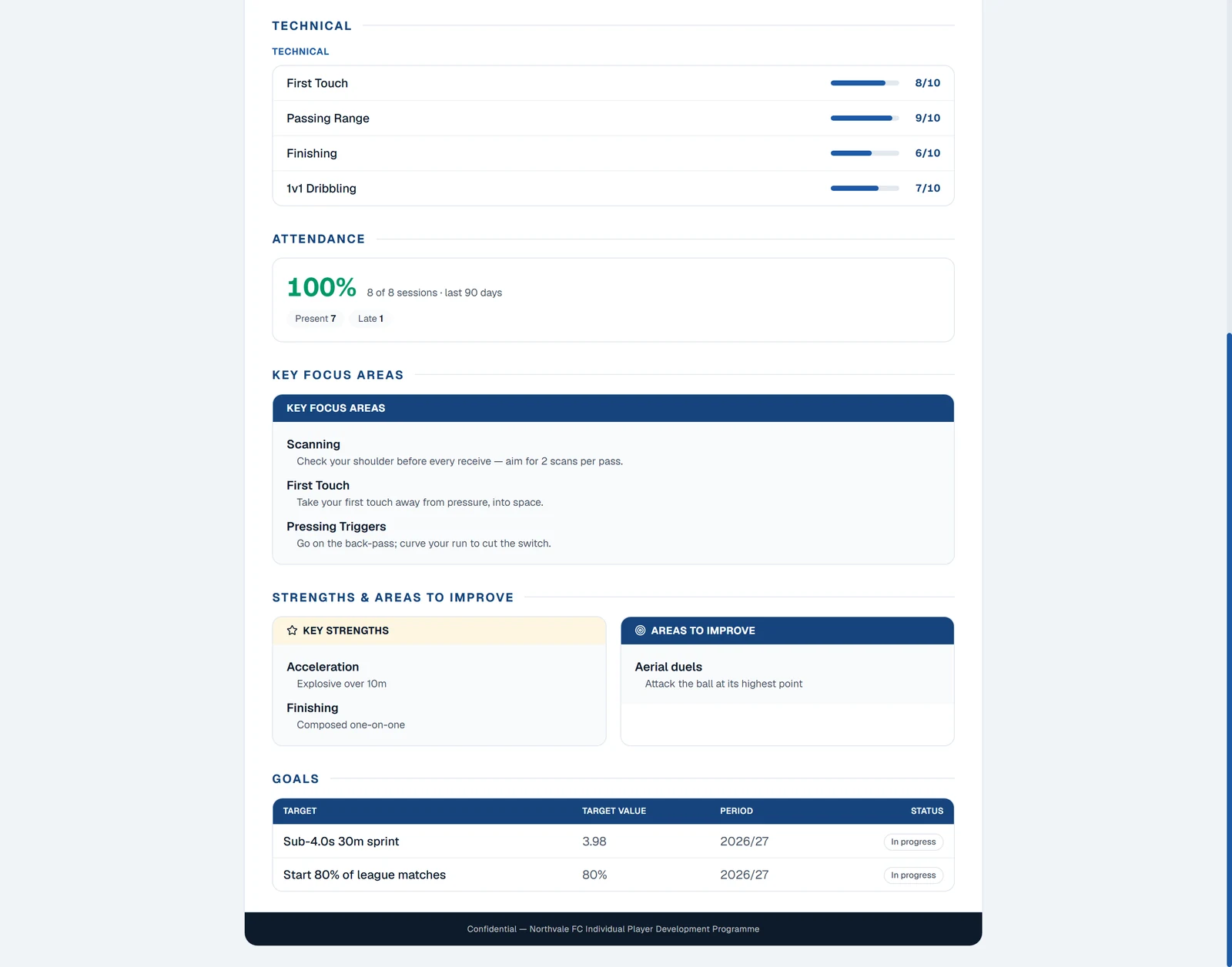
- Technical and tactical fundamentals scored on your own scale, not a generic one
- Key focus areas written as coaching cues — what to do, not just what's weak
- Strengths and areas to improve, side by side
- Goals with a target and a period, linked to the test that proves them
- Athletes fill in their own sections before the coach publishes
- Templates defined once per sport; blank sections simply don't appear, so one template suits every squad
Athletes report; you get signal
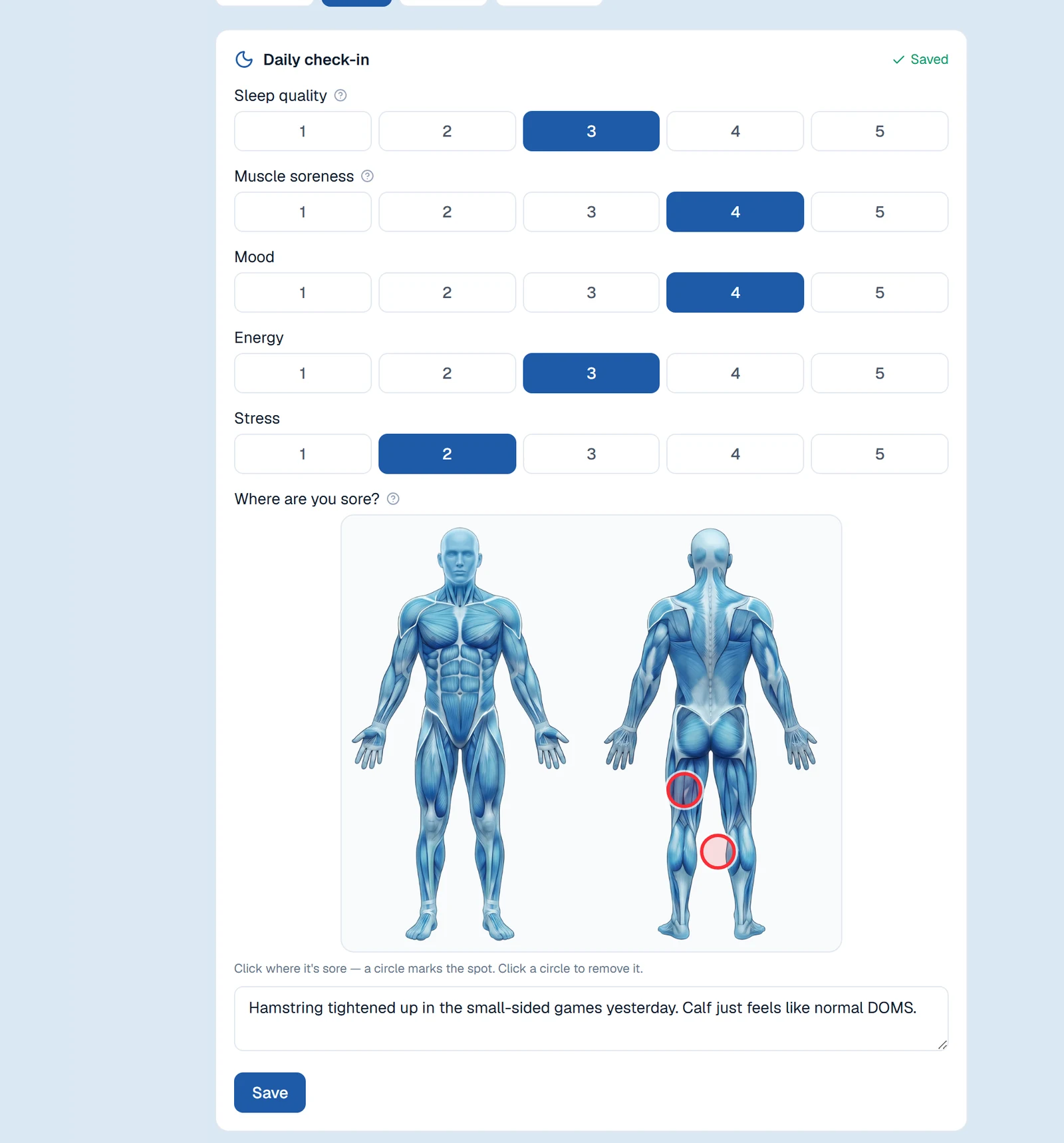
A 20-second check-in each morning. Sleep, soreness, mood — and a body map where they tap exactly where it hurts and say why.
- The body map turns 'my leg hurts' into a spot on a diagram and a note you can act on
- Ask what you want: sleep, soreness, mood, stress, energy, free text — or your own questions
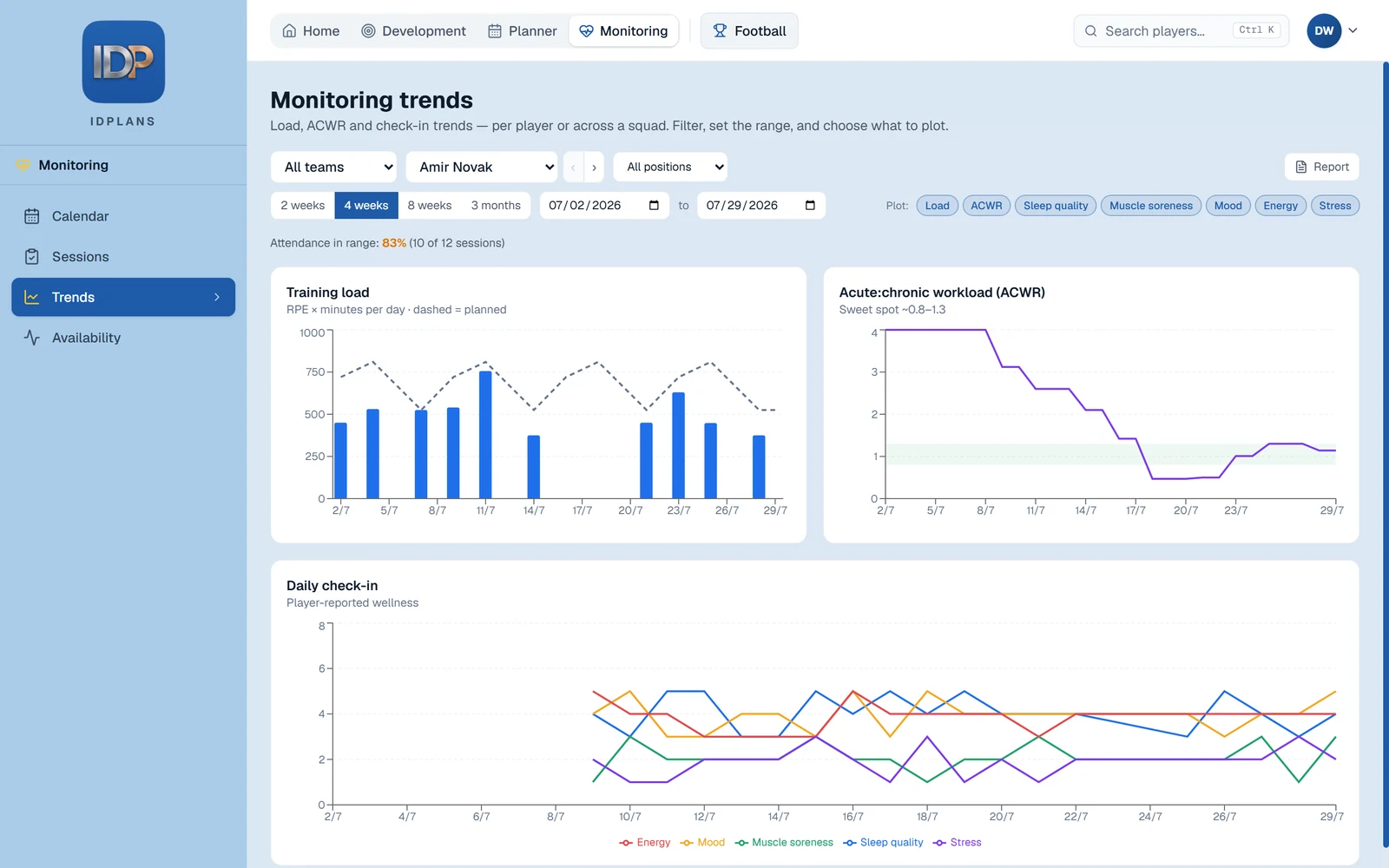
- Session RPE and minutes produce training load, acute-vs-chronic ratios and spike warnings
- Wellness flags and quiet-player alerts surface on the coach's Home screen
- Different questions on match days, rest days or specific weekdays
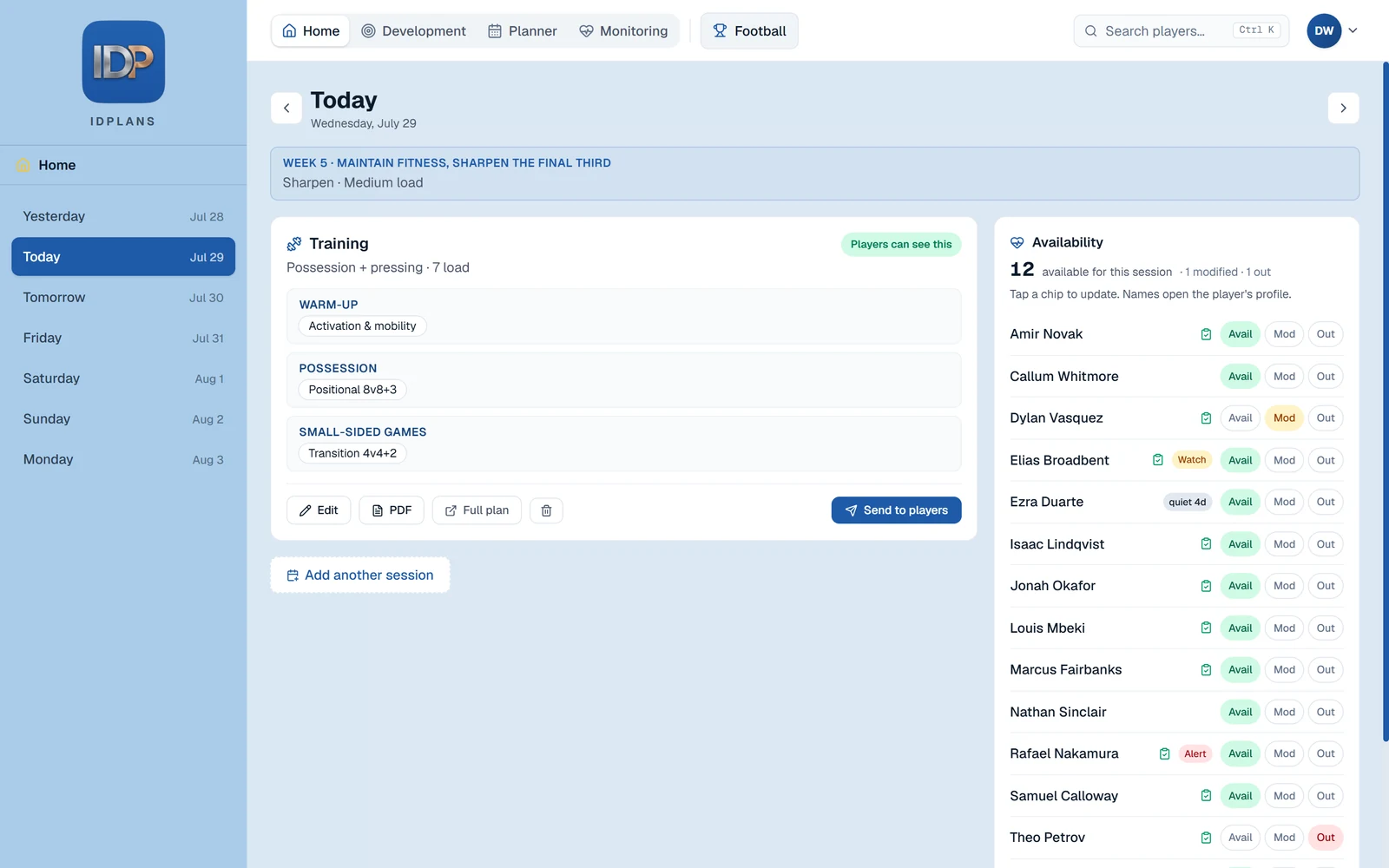
One screen for the day
Coaches open Home and see the session, the squad and who's available — before they walk out to the pitch.
- The day's sessions in order, with a quick editor for theme, load and parts
- Live availability: tap a chip to mark a player available, modified or out
- Call up a player from another team for one session without moving them
- Send the session to players' phones, or print a field sheet
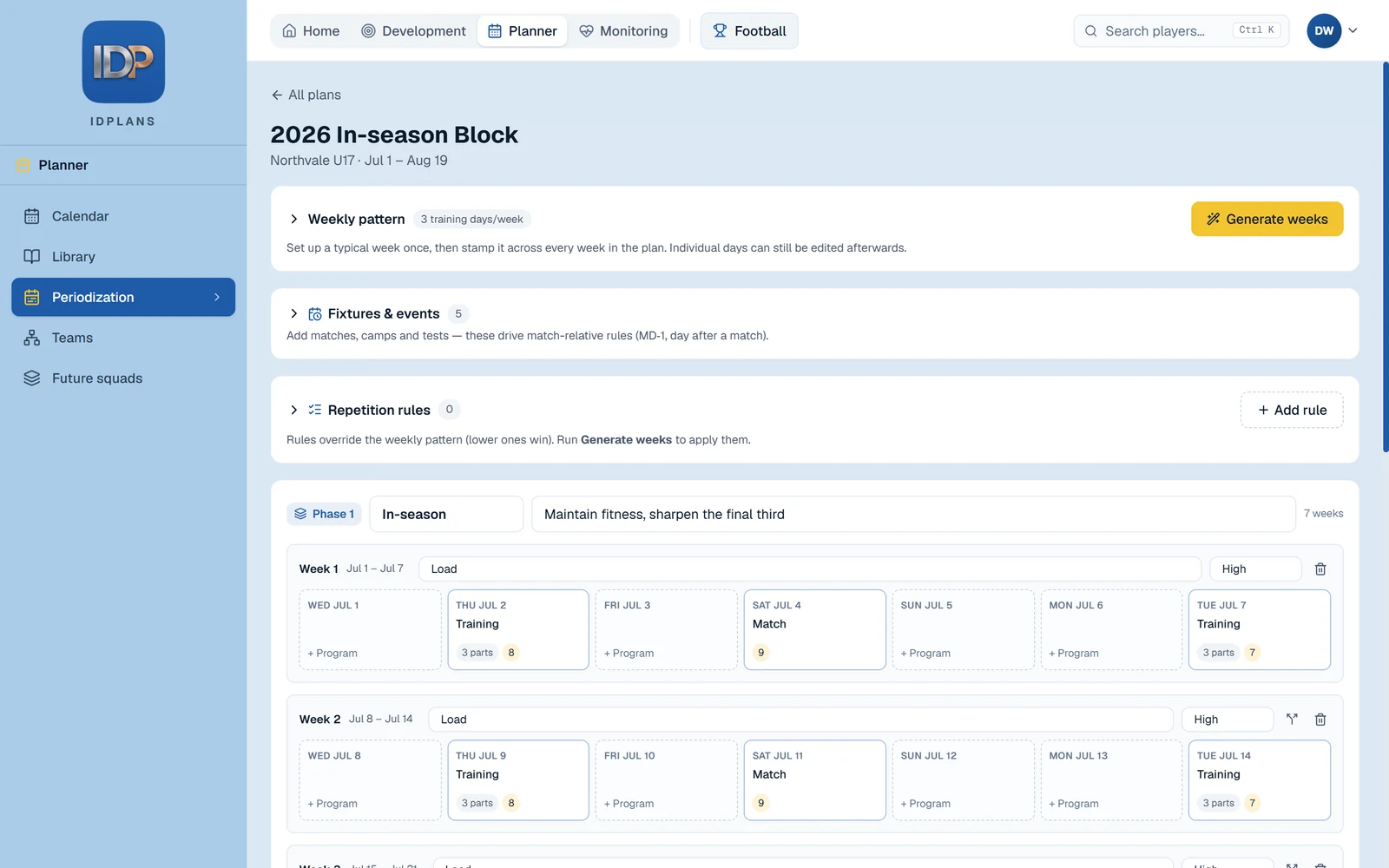
Plan a season, not just a week
Describe a typical training week once. IDPlans stamps it across the season, around your fixtures, and you adjust from there.
- Blocks, weeks and days, generated from a pattern you define
- Rules that follow your fixtures — 'the day before a match' means something
- Hand-built sessions survive regeneration; only generated ones are replaced
- Multiple sessions a day, each aimed at the whole squad or a named group
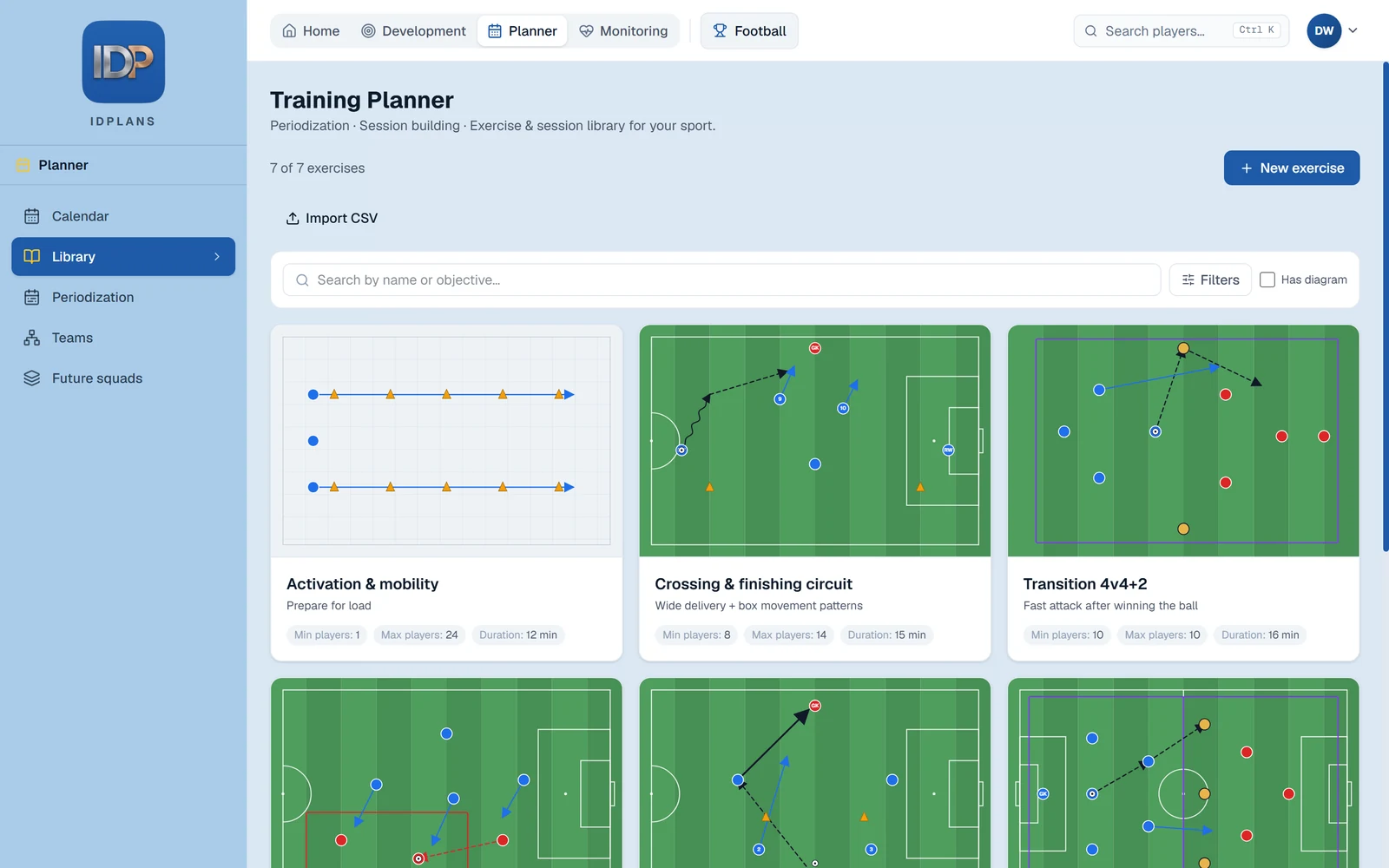
Your drills, ranked to fit
Build a library of your own exercises — drawn, photographed or imported — and the planner suggests the ones that fit the session you're building.
- Draw on a pitch canvas, or upload a photo of a whiteboard
- Tag by session part, theme and physical quality; ranked by fit when you pick
- Coaching cues, equipment and constraints travel with the drill
- Import an existing library from a spreadsheet in one go
Built for young athletes' data
Wellbeing data about teenagers deserves more care than a shared spreadsheet can offer.
- Invite-only accounts — nobody self-registers
- Parental consent tracked, with a parent portal limited to published reports
- Every staff view or export of a player's data is logged
- Export or permanently erase any athlete's record on request
- Two-factor authentication and single sign-on for staff
Want a closer look?
The role-by-role walkthroughs show exactly what a coach, an athlete or a parent sees day to day.